
Mobile Site Architecture and Responsive Design
The kaya 33 mobile site is a progressive web app (PWA) that works in any modern browser: Chrome, Safari, Firefox, and Edge. Unlike a native app, it doesn't require installation or updates—you simply visit kaya33.bet on your phone, and the latest version loads automatically. This approach reduces friction for new players who hesitate to download unfamiliar apps, and it eliminates the need to manage app permissions or storage space on your device.
Our responsive layout reorganizes content for mobile screens. The main navigation collapses into a hamburger menu. Game grids shift from multi-column layouts to single-column stacks. Buttons enlarge to accommodate touch input. Forms break across multiple screens to avoid overwhelming small displays. All of this happens automatically based on your device's screen width, so you never see misaligned text or buttons that are too small to tap.

The kaya 33 mobile site is built for touch, low bandwidth, and interrupted sessions. You can start a slot tournament on your phone during a commute, pause it, and resume on desktop without losing progress.
Account Login and Security on Mobile
Logging into kaya 33 on mobile uses the same credentials as desktop: your email and password. We recommend enabling two-factor authentication (2FA) in your account settings before your first mobile login. 2FA adds a second verification step—typically a code sent to your phone—that prevents unauthorized access even if someone obtains your password. On mobile, 2FA codes arrive via SMS or through an authenticator app like Google Authenticator.
Once logged in, your session persists across browser tabs and app closures. If you close your browser and reopen it, you'll remain logged in (unless you manually log out). This convenience comes with a security tradeoff: if you share your phone with family members, they could access your kaya 33 account. We recommend logging out before handing your phone to someone else, or using your phone's built-in app-lock feature to protect your browser.
Deposits and Withdrawals on Mobile
Depositing funds via mobile follows the same flow as desktop. Navigate to your account menu, select "Deposit", choose your payment method (DANA, e-wallet, mobile banking, local payment, online payment, or bank transfer), and enter your amount. For e-wallet and mobile banking, you'll be redirected to their apps to authorize the transfer. For bank transfers, you'll see account details to copy into your banking app. Deposits settle instantly, and your balance updates within seconds.
Withdrawals on mobile require the same verification as desktop. You select a registered withdrawal destination (your bank account), enter the amount, and submit the request. Our compliance team reviews it during standard windows, typically settling within one business day. You can check your withdrawal status anytime by navigating to your account history on mobile.
- Two-factor authentication
- A second verification step (usually a code sent to your phone) that protects your account even if your password is compromised. Highly recommended for mobile users.
- Session persistence
- Your login remains active across browser closures unless you manually log out. Convenient but risky if you share your phone.
- Mobile payment redirect
- When depositing via local payment or online payment on mobile, you're redirected to their apps to authorize the transfer. This is normal and secure.
- Withdrawal review window
- Withdrawals are batched and processed during standard verification windows, typically settling within one business day.
Slot Games and Tournaments on Mobile
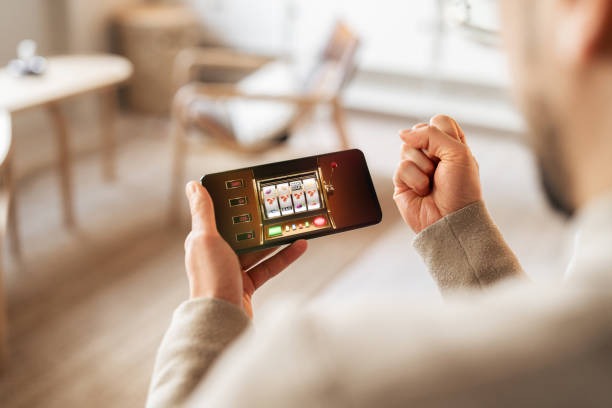
All kaya 33 slot games—Aviator, Sweet Bonanza, Gates of Olympus, Fortune Tiger, Mahjong Ways—run natively on mobile browsers. Game graphics scale to your screen size, and touch controls replace mouse clicks. Spinning a reel, triggering a bonus round, or collecting a payout all work identically on mobile and desktop. The only difference is screen real estate: on a small phone, you see less of the game board at once, but the gameplay mechanics remain unchanged.
Tournaments on mobile work the same way. You join a tournament from the mobile site, your entry fee is deducted from your balance, and you compete against other players. Leaderboards update in real time, and payouts post to your balance when the tournament closes. Many players in Semarang and Medan prefer mobile tournaments during Piala Indonesia season because they can check scores and spin between matches without switching apps.


Data Usage and Network Optimization
The kaya 33 mobile site uses several techniques to minimize data consumption. Game assets (images, animations) load progressively—you see the game board immediately, and decorative elements load in the background. This means you can start spinning within seconds even on slow connections. We also compress images and use modern video codecs to reduce file sizes without sacrificing visual quality.
If you're on a metered data plan, you can enable "Low Data Mode" in your account settings. This disables video backgrounds, reduces animation quality, and compresses images further. The tradeoff is visual polish—games look less polished but play identically. Many players in rural areas or on limited data plans enable this mode permanently.
The kaya 33 mobile site is optimized for real-world conditions: interrupted connections, small screens, and limited data. You can play reliably even on 3G or congested networks.
Push Notifications and Account Alerts
When you first visit the kaya 33 mobile site, your browser asks permission to send push notifications. These are optional—you can decline and manage alerts through your account settings instead. If you enable them, you'll receive notifications when tournaments begin, when your withdrawal settles, when account verification completes, or when your balance changes significantly.
Notifications are useful during busy periods like Idul Fitri or Idul Adha when you're checking kaya 33 frequently. They're also helpful if you're waiting for a withdrawal to process—you'll get a notification the moment it settles instead of checking manually. You can customize notification preferences in your account settings: disable them entirely, limit them to specific events, or set quiet hours when they don't arrive.
Troubleshooting Mobile Connection Issues
If the kaya 33 mobile site loads slowly or games stutter, try these steps: first, check your internet connection by opening another website. If that's slow too, the issue is your network, not kaya 33. Second, clear your browser cache (settings → storage → clear cache) and reload the site. Third, try a different browser—sometimes one browser has compatibility issues while others work fine. Fourth, enable Low Data Mode if you haven't already.
If you're still experiencing issues, contact our support team via email or live chat. Provide your device model, browser name, and a description of what's happening (e.g., "games load but freeze during bonus rounds"). Our team can often diagnose the issue and suggest device-specific fixes. We also maintain a status page showing any ongoing mobile site maintenance or outages.